Live in four days.
Switch from Yardi, AppFolio, Buildium, DoorLoop, or Entrata to Valix without implementation delays or data loss.
We migrate from every major platform.
Yardi Voyager & Breeze, AppFolio, Buildium, DoorLoop, Entrata, and RealPage — we've written extractors for each. Your export arrives Friday; you're live the following Wednesday.
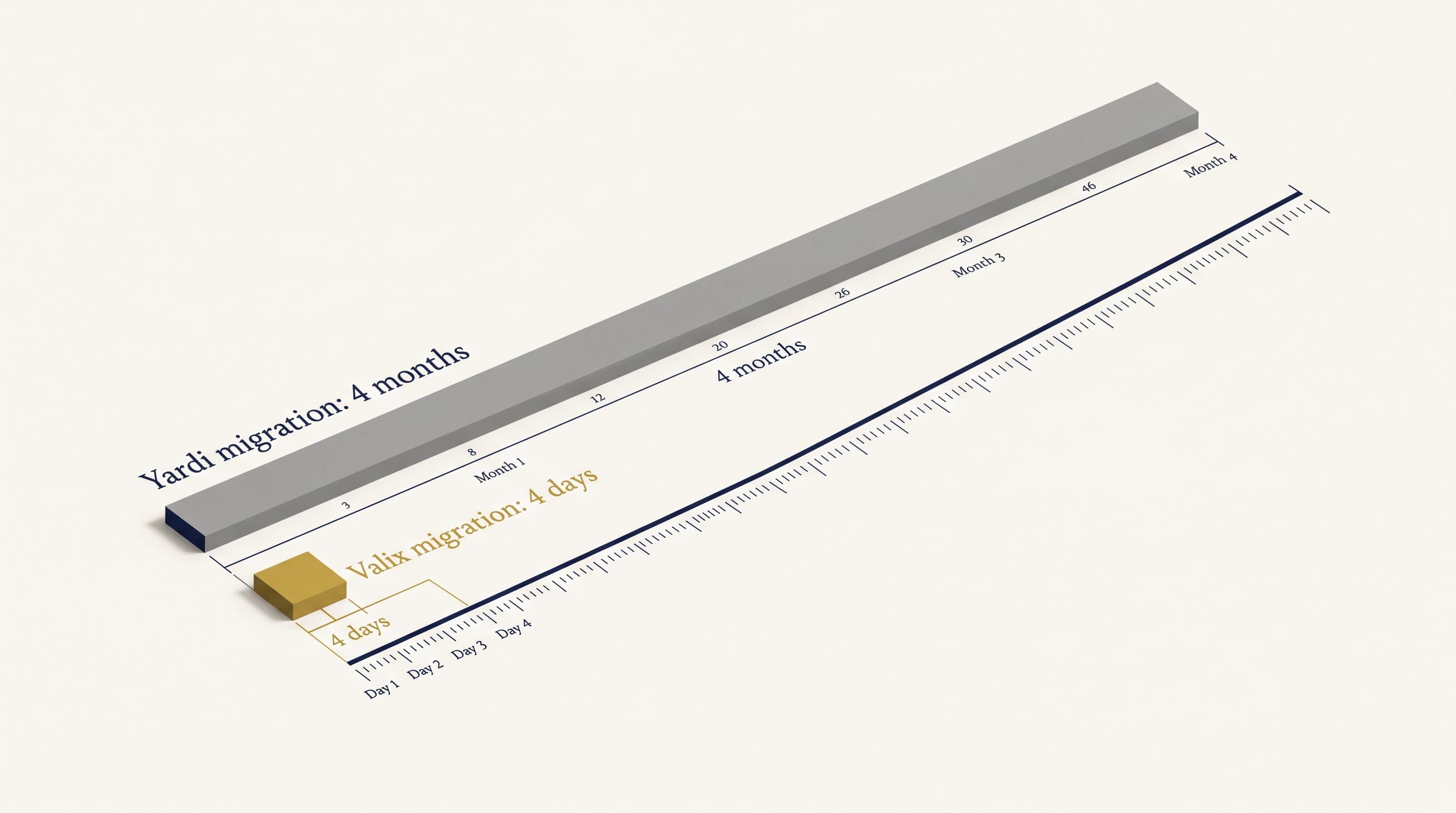
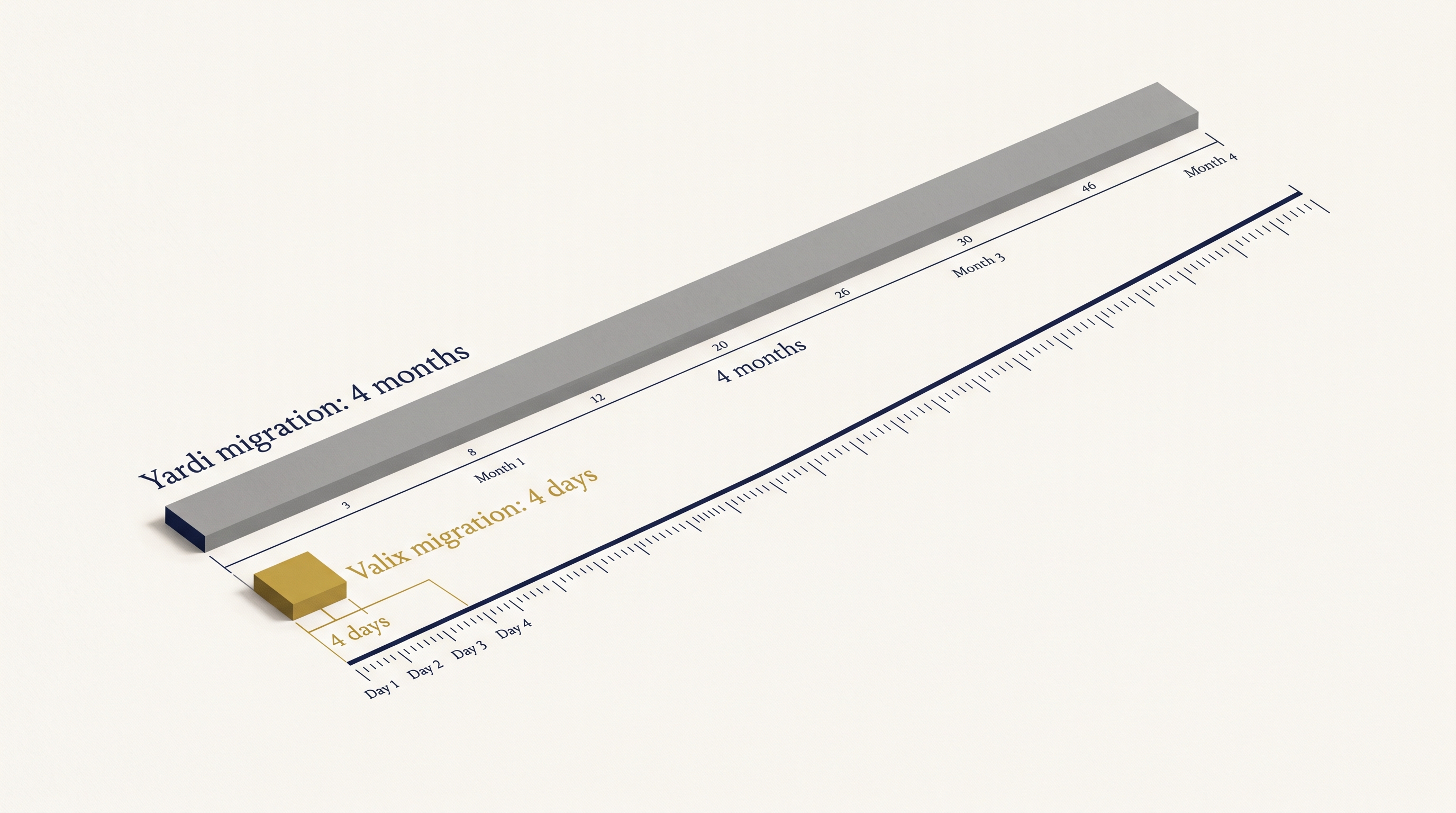
Four days versus four months.
Legacy platforms require months of implementation, testing, and staff retraining. Valix goes live in 96 hours. The difference is architecture, not effort.
White-glove migration in four steps.
We handle the technical work. Your team verifies the results. No surprises, no data loss, no rollback needed.
Extract
Pull a complete export from your current system — Yardi, AppFolio, Buildium, DoorLoop, or RealPage. We support every major format. Every lease, tenant, owner, vendor, GL entry, and custom field comes across.
Map
We map your chart of accounts line-by-line, rebuild your cost-center hierarchy in Valix, and ingest every lease PDF through the AI lease scanner. You review flagged extractions; we fix anything below 85% confidence.
Validate
We run parallel trial balance and financial statements against your legacy system. Daily reconciliation reports surface any discrepancy. You verify every number matches before we go live.
Cutover
Your team logs into Valix. Tenants get new portal invites. Rent collection continues uninterrupted. Your legacy system runs in parallel for 14 days as a safety net — then you cancel the contract.
Move without surprises.
Three things we get right every time — and why Valix migrations land in four days instead of four months.
FAQs
Migration questions answered. Read what operators ask most.
Will we lose data?
No. We validate every record against your source system during migration. Custom fields, lease terms, tenant history, and GL balances transfer intact. You run parallel for 48 hours before cutover.
How long is downtime?
Four hours, overnight. We freeze your source system at close of business, migrate and reconcile, then go live the next morning. Your team accesses Valix before 9 AM.
Can we keep both systems running?
Yes, for 48 to 72 hours. We recommend parallel operation so your team verifies rent rolls, GL accounts, and investor reports match before you decommission the old platform.
What about custom fields?
We map them. If Yardi holds a custom field for lease type or tenant class, we replicate it in Valix. Fields that don't map get flagged in your pre-migration audit.
Is there a rollback plan?
Yes. We keep your source system snapshot for 30 days post-migration. If critical issues emerge, we can revert and restart. It's rare, but the safety net is there.